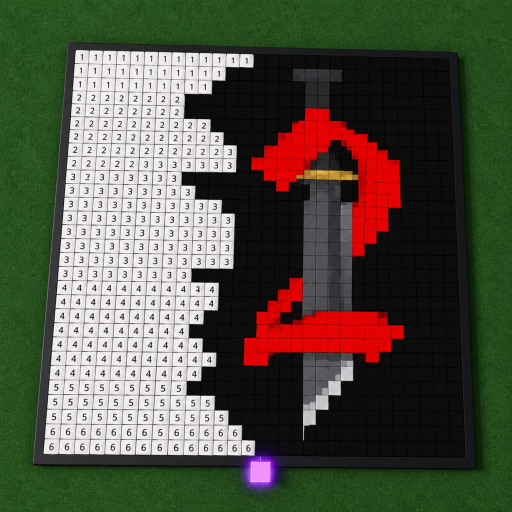
Progress here means moving a personal painting toward completion across autosaved sessions. No levels, currencies, rewards, or time estimates are assumed — the game offers none (checked 2026-10-03) — so this guide builds progression out of regions, cell counts, and return plans instead.
Foundation
What autosave makes possible
The one progression mechanic Paint a Game publishes is also its most important: "your progress saves automatically, so you can leave and come back later." A painting is not a single-sitting achievement but a standing project that survives between visits. Everything else in this guide — regions, counts, checkpoints — exists to make that persistence deliberate: the game remembers your blocks, and you remember the plan.
The official description does not state a save interval or a confirmation signal, so the progression plan treats the end of each session as the save point: finish a region, verify it is visible, then leave. The save-progress guide covers those checks in detail.
Method
The four-part session plan
Personal planning guidance within the official loop — none of it is a game mechanic.
1
Choose a readable reference
Pick an icon you already recognize: familiar subjects make misplaced edges and wrong colors easier to notice, and large, high-contrast shapes read well to the other painters on your six-player server. Choice criteria belong to you — the game attaches no difficulty score to any icon.
2
Define a small region
Work across a short row, corner, or color block so mistakes stay local and visible. Connected regions beat scattered blocks: the fan wiki recommends a calm, connected pass, and the payoff compounds when you return — a finished region needs no recount.
3
Record your own checkpoint
At the end of a sitting, count the finished cells once and note the region you closed. The progress planner turns the pair (total, completed) into a percentage and, with a target set, into the exact cells remaining. It performs arithmetic only and does not connect to Roblox.
4
Return and confirm
On the next visit, let the session load and confirm the expected plot and painting before making large changes. Autosave is advertised, but its timing is a live check: if a recent region appears missing, the save guide's cautious checks apply before repainting anything.
Worked example
A two-session painting, planned
Illustrative arithmetic; the canvas size in the example is invented for the math only.
Suppose your icon loads as a 360-cell canvas and you set a first-session goal of one quarter. The planner converts 25% into 90 cells, so you paint one 90-cell corner region and log "90 of 360 — 25%." Next sitting, a 60% target means 216 cells; with 90 done, the planner shows 126 to go — two average regions. The painting completes on the fourth sitting without any session feeling open-ended.
The numbers are yours to move. A slower painter plans 10% sessions; a marathon painter plans whole halves. The constant is writing the count down before leaving, because the game holds the blocks but not your plan.
Boundaries
What progression does not mean here
Current official sources describe no character levels, prestige, farming loops, currencies, upgrade costs, combat power, or reward tiers — and the platform endpoints agree, returning empty badge and game-pass lists at the 2026-10-03 check. Those generic Roblox systems are excluded from this guide on purpose: importing them would mean inventing a game that dilly dally games did not build.
Moving a personal painting toward completion. The game has no levels, currency, or upgrade tree to advance — the API checks show no badges and no game passes — so progression means the share of your canvas that is finished, session by session.
How do I measure progress across sessions?
Count cells. Note the total cells your canvas grid shows, count finished cells at the end of a sitting, and record both in the progress planner. Autosave keeps the finished blocks, so your next session starts from the recorded count instead of a recount.
What should my first session goal be?
One recognizable region rather than a percentage. A completed corner or color block acts as a visual anchor — the fan wiki's advice — and gives the next session an alignment reference as well as a morale one.
Can I work on several paintings at once?
Each plot holds its own canvas, and autosave preserves each painting separately. A common pattern is one primary canvas plus a low-energy side canvas; just record cell counts per canvas so the percentages stay meaningful.