Sponsored link
PaintAGame game iconPaintAGame
Honest answer

Paint a Game Farming: What Exists, What Does Not

If you arrived looking for a farming route, the direct answer is that Paint a Game has no currency, drops, or repeatable reward loop to farm (checked 2026-10-03). What it does have is session-based canvas progress, and this page shows how to make that loop efficient.

Direct answer

Why the grind loop is absent by design

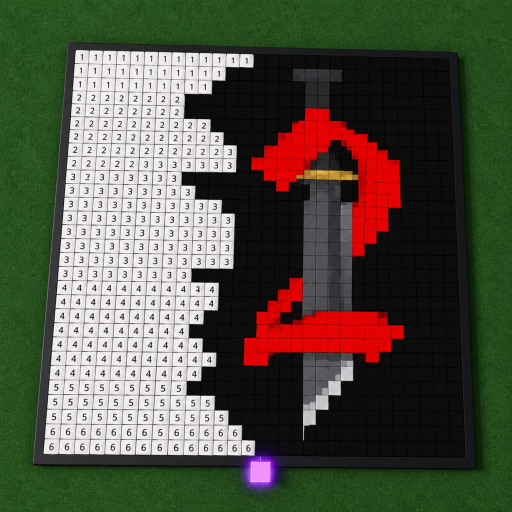
Farming in Roblox usually means repeating a reward loop: beat a mode, collect currency, buy upgrades, repeat. Paint a Game removes every element of that chain. The official description promises a "chill" coloring session — claim a plot, load a Roblox game icon, paint it block by block — with autosave instead of payouts. There is no match to win, no chest to open, and no shop to spend in; the store-side endpoints confirm it with empty lists at the 2026-10-03 check.

That is not a missing feature to work around — it is the game's design. The creator, dilly dally games, sells nothing through passes, ranks nothing through badges, and grants nothing through codes. Progress is the painting itself, which is why the honest answer to "what should I farm" is "your own canvas."

Instead of farming

The session loop that actually repeats here

Adapted from the official loop and the fan wiki's workflow advice — this is planning guidance, not a game system.

  1. 1

    Open with a target, close with a count

    Before joining, pick a percentage goal in the progress planner; after the session, count the finished region once and record it. Two numbers per session — target in, cells done out — is the whole "loop."

  2. 2

    Paint connected regions

    The fan wiki recommends a calm, connected pass over scattered blocks. Connected regions are the efficiency gain: fewer recounts, mistakes spotted early, and a recognizable shape that survives interruptions.

  3. 3

    Finish a visual anchor each sitting

    End every session on a completed corner or color block. Autosave carries it to the next visit, and a finished anchor region makes re-entry and alignment decisions faster — the compounding benefit this game offers instead of XP.

  4. 4

    Choose the next icon by scope, not reward

    Since no icon pays more than another, pick the next subject for its size and shape count: a large, high-contrast icon reads as "more progress per session" in the only metric that exists. The tier-list page turns this into explicit criteria.

FAQ

Farming questions

Is there a farming route in Paint a Game?

No repeatable reward loop exists at the 2026-10-03 check: the game lists no currency, its game-passes and badges endpoints return empty, and the official description describes only the painting loop. There is nothing to farm in the grind sense, and this page does not invent a route.

Why do players search for farming in this game?

Farming is the default progress mindset from currency-based Roblox games. Players arriving from those titles look for the fastest loop out of habit, then find a coloring game where the only accumulation is blocks painted on their own canvas.

What accumulates in Paint a Game?

Canvas completion. Your painting persists through autosave, so every session adds finished cells to the same artwork. The progress calculator turns that accumulation into percentages and session targets — the closest thing to a yield this game has.

What is the fastest way to 'progress' then?

Paint connected regions of a recognizable icon and finish one clear section per sitting, the workflow the guides describe. It is faster in the only measurable sense (cells completed per session) because connected sections reduce recounting and misplacement, not because the game pays anything for speed.

Painting progressionProgress plannerBeginner guideIcon choice criteria